
With every new firmware version there are bound to be a few bugs here and there. No one was prepared for the issues that users are currently reporting in the iPhone firmware 2.2 update. Some of the more serious issues include the loss of the ability to sync with iTunes, loss in both 3G and Edge signal strength, loss of Wi-Fi connectivity and the disappearance of both Apple and third party applications.
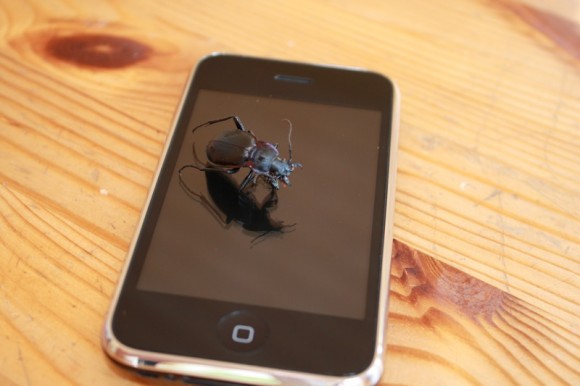
Needless to say this is a huge problem that in come cases make this update more harmful than helpful. A number of users are downgrading back to firmware 2.1 in order to resolve the issues. We ourselves have experienced a drop in signal strength. The most reports we have been getting is loss of Wi-Fi connectivity. Users are unable to get a Wi-Fi connection even without network encryption.
Here are some of the reports that users are making:
- “When I upgraded, all my apps non-original apps disappears, except for google! When I tried to re-download and then resync them onto my iphone, only some of them would appear. After talking to support, we tried starting my computer (she said this was happening to some people) and then syncing. This added a couple more, but about 10 were still sitting in my itunes and refusing to sync.”
- “After the os 2.2 update. Safari suddenly disappeared. Syncing etc didn’t work or resolve the issue. I had to do a restore to get things back to normal.”
- “After upgrading to 2.2 the iphone camera app disappeared, and every program that uses the camera stopped working also. Restoring the phone brought it back but then the next Sync made it go away again. Very annoying. How much QA did they do before they released this upgrade? I can understand third party apps breaking but not the base applications.”
- “I also have had a problem with a missing application. My camera application has disappeared and I tried restoring it, and it appeared for about five minutes, let me take one picture, then was suddenly gone again.”
[Via iPhoneAtlas]


what a cock up
Strange… I had no problems what-so-ever, neither did my dad or my two friends who also have iPhones, granted they are first gen (not 3g).
Well since they have discovered all these problems, what are they going to do to fix them?
My girlfriend and i had no problems at our apartment until we updated to 2.2. Now, we cant make calls from our apartment. This is very weird for us, seeing as how before the update, our phones worked fine. We thought that it was a reception issue, maybe signal strength, or the loss of towers…but we have full signal. When we try to make or receive calls, it cuts out constantly and our ear pieces make a HUGE screeching sound. FIX YOUR PROBLEMS!
I’m having the same issue, I make a call and my service including data will just drop. Not to mention that multiple times a day my data wont work even though I have full service and 3G. I downgraded back to 2.1 and all the issues are gone.
So when should I update? after the next update for bug-fixing?
The GPS is not working at all with firmware version 2.2. It can’t pin point my location not matter where I am. It uses to work all the time with 2.1.x firmware. I also notice that with date and time set automatically enabled, The World clock in the clock app will show the wrong time. It seem like my local time zone is not set properly by the set automatically feature in 2.2 firmware. It also uses to work in 2.1.x firmware.
Safari has disappeared twice on my Iphome after syncing it with my Itunes library. This occured the first time and I did not know why and then after restoring to original factory and then syncing to get my backed up Itunes library it disappeared again. Please let me know if you have any clues as to how to resolve this nightmare.
Thank you
My safari app also disappeared and I couldn’t get it back until I used the troubleshooting assistant on the Apple website, which told me to do this, and it worked:
Reset Settings
Tap Settings > General > Reset > Reset All Settings
Note: This will reset all settings. No data or media will be deleted.
If that does not resolve your issue, try erasing all settings.
Tap Settings > General > Reset > Erase All Contents and Settings
Note: This will delete all media and data. All settings will be reset as well.
Hey, nice tips. I’ll buy a bottle of beer to the person from that chat who told me to go to your blog :)
viagra virus email
Thanks for the very best info We’ve read about this specific, I have bookmarked your blog.
It may be too complex and very inclusive for me. I am expecting for your next posting, and I would like to try to understand it! Actually the posting is spreading its wings rapidly, hunting for it…
Now you have got your new site and also you’re keen to start making some gross sales! However, how will you make gross sales in case you do not have excessive volumes of holiday makers to your web site?