
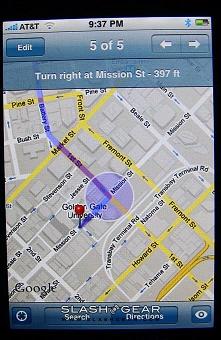
After suspicions that the rumored iPhone 1.1.3 Jailbreak solution was a hoax, the Dev Team have pleased us all by rolling out a working patchfor the latest iPhone firmware that leaves unlocked handsets compatible with any SIM and, thanks to some clever on-the-fly adaptation of Apple’s official firmware update, doesn’t wipe any data from your cellphone. Available in Mac and PC versions, the software downloads the 1.1.3 upgrade, decompresses is, Jailbreaks and adds Installer.app to it, then flashes the iPhone with the modified version. After a reboot you not only have all of the latest Apple features – including multi-recipient SMS and assisted-GPS – but the ability to load third-party applications in advance of the official SDK.
You’ll need an iPhone running firmware versions 1.1.1 or 1.1.2, and that has already been through the Jailbreak procedure, so anybody who has already upgraded to 1.1.3 (or who has bought an iPhone recently with the latest software pre-installed) will have to downgrade their handset first.
Instructions from cre.ations.net:
MAC VERSION – Download the 1.1.3 package maker and open it, then run Run_This. Read carefully, press Enter when necessary, and the image will be uploaded to your phone.
Here’s how you do it:
- Start with a 1.1.1 or 1.1.2 jailbroken phone with Installer.app installed.
- Plug in your phone via USB to your computer.
- Download, extract, and run iBrickr Special 1.1.3 jailbreak edition(ibrickr.exe in the archive).
- iBrickr will determine what firmware you are running on your phone and make sure you can run the update.
- iBrickr will then guide you through the process of obtaining and modifying the 1.1.3 firmware (make sure to read everything thoroughly).
- iBrickr will upload the new firmware image to your phone. Note that this only puts the file on your phone and does not modify it at all, yet.
- When iBrickr finishes (should take about 10 minutes), it will tell you to go to Installer and install the “1.1.3 soft upgrade” package. Do that.
- When the installer finishes (this should take another 10-15 minutes), your phone should reboot with a fresh activated 1.1.3 firmware.
As ever, if you Jailbreak or otherwise modifiy your iPhone, let us know how you get on in the comments!
[via PHONE Mag]


if you purchased the January software update and perform the jailbreak process will that update remain on my iPod touch?