
If you don’t know what VNC client is, here is a little explanation – it is a tool to let you connect to VNC server installed on your Windows PC or Mac OS X. MochaSoft VNC Lite provides VNC client for your iPhone. As the name said, Lite is what it truly meant when it comes to set of features. The Lite version cost nothing but it has many limitations such as single keyboard only, no right mouse click support, and no macro capability.

You will be able to get all those missing function from the paid version. It cost $5.99 and offers macro support. Both versions (the Lite and Full) are able to zoom and scroll, runs on 8-but and 32-bit color, local mouse, and landscape mode.
The application itself is pretty intuitive – to start you will need to create a session by tapping the connection button on the navigation. If you don’t have a previous session, the session dialog will prompt you to enter the host information.
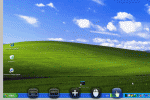
Once you are connected to your VNC server, you will see several icons, starting from the left side, the QWERTY, F1-F2 keys, menu, mouse click, and scroll. Do not expect real time and snappiness of a true desktop, VNC client are made to work with remote system therefore connections speed matters.


… or for the jailbroken brethren, there has always been Touchpad Pro.
I downloaded it yesterday and it works like a charm, only problem is, if you have very high resolutions (eg more than on display). it only displays part of the whole image.
how do i get VNC password