

The iPhone Dev Team strikes at Apple’s core with the Pwnage tool. The PWN, which is publicaly available later today, Sunday March 30th, allows you to flash custom unsigned firmware onto the iPhone or iPod touch. Not only will PWN properly hack the iPhone and iPod touch, the iPhone Dev Team claims, “any subsequent firmware releases will also be vulnerable to “Pwnage”…like 1.2 (2.0) beta.” Is the iPhone Dev Team getting too arrogant for their own good or is it possible they’re that good to believe they’ve developed a tool that’s Jobs proof? Apple, I believe the ball is now in your court. Click over to watch the video and view screen shots of PWN in action.
 The anonymous tipster also pointed us to an interview with the developers, conducted by the iPhone project. Based on the first question regarding what PWN will do for iPhone owners, the developers responded by saying that it will allow you to restore your handset to a jailbroken and unlocked state. Then, eventually, you’ll be able to back up the entire iPhone and restore it to whatever state you like it, restore straight to a jailbroken state with installer, or even potentially install other OSes like Linux right on the iPhone. How cool would it be to be able to dual boot the iPhone with Linux?
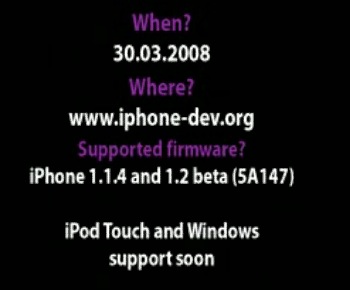
The iPhone Dev Team explained the overview process of how the first release of Pwnage works. First of all, you must be running Mac OSX; from what I can gather, while not available today the Windows version will be coming out further down the road.
The first thing to do is make sure you have the Official IPSW of the firmware you are running (eg. If you are running 1.1.4, download 1.1.4). Now open the Pwnage tool, and click “Browse .ipsw” and browse to the firmware file that you just downloaded. Next you click the “iPwner” button, and watch as PWNAGE patches the iPhone bootlader, making it possible to circumvent any code signing checks. After this, your iPhone will reboot. As the iPhone reboots, exit the Pwnage app, and reopen it.
Here is where the magic happens, once the phone has rebooted, click on “IPSW Builder,” and you are presented with a list of the building options (jailbreak, unlock, etc..) including the all new “BootNeuter,” the ultimate iPhone unlocking solution. Once you have customized your IPSW, hit OK and let Pwnage build the restore file. Next we head to iTunes, option+click on the restore button, and navigate to the custom ipsw that you just created,. Hit OK and we’re done! iTunes will restore the iPhone to the state of your choosing (Be it jailbroken, unlocked etc…). - The iPhone Dev Team
iPhone PWNED Demo
[youtube]http://www.youtube.com/watch?v=ggU5RpCPt1M[/youtube]
Pwnage Presentation in Moscow
MOSCOW, Russia, March 29, 2008
Today key members of “The iPhone DevTeam” demonstrated the long-awaited software application “Pwnage Tool”. The demonstration took place at the iPhone 3.0 party which brought together hundreds of iPhone hardware and software enthusiasts.
*The software is a self contained application (for MacOS 10.4.x and 10.5.x) that allows all current models of the iPhone device to be “Pwned”. This term (in relation to this software) refers to the patching of the stock bootloader so that it will allow the execution of unsigned code and circumvent code-signing checks. “Pwnage” only needs to be performed once to allow the additional features on the iPhone.
*The application also processes and modifies existing Apple archives so that unique, custom rolled firmware bundles can be installed onto the “Pwned” iPhone directly from iTunes.
These ”.ipsw” files can be created and patched by the application to allow third-party modifications such as activation, application installation, baseband modification, custom phone graphics etc.*The tool works automatically on box-fresh (OTB) 1.1.3 and 1.1.4 iPhones and requires minimal interaction from the user.
*The tool also ships with an iPhone application that is automatically installed and run on first boot (if the user requests it) that is called “BootNeuter”, This will enable “Bootneutering” of the iPhone baseband allowing custom firmware to be installed. Arbitrary secpacks and fls files will be accepted when the device is in this state, please refer to the application help file for specific information.
If the user has access to developer versions of the iPhone software (such as 1.2 or 2.0) provisions have been made to support this software and allow it to be used on any device. This will be useful for legitimate SDK trialists to install their software on more than one device, this should not be used unless you are an official member of the SDK programme.


Sorry for the huge variety, but I’m truly caring the new Zune, and trust this, as easily as the fantabulous reviews many else group hold longhand, gift work you determine if it’s the appropriate deciding for you.