
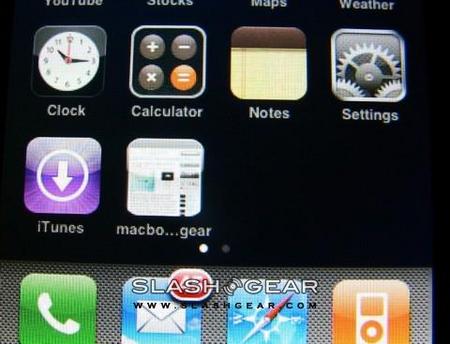
The stability of the latest iPhone Jailbreak method – which allows unofficial third-party applications to be run on handsets with the latest 1.1.3 Apple firmware – is being questioned, as multiple users report issues with their iPhones after installing the patch. Most common is for AT&T customers who have previously upgraded to 1.1.3 being unable to connect to the network after attempting the Jailbreak.
“Among the reported issues are problems with ringtones, errors in Google Maps functionality, issues with DRM-protected file playback and problems with email not storing your passwords” The Boy Genius Report
Users who waited to install 1.1.3 until the Jailbreak was available have apparently had the fewest issues. The current advice is to wait until the process has been rarefied and the problems ironed out.


I updated the soft 1.1.3 upgrade last night and lost all ringtone. It simply won’t ring at all. I restarted it and it jumped into restore mode. I have to restore the phone and all the jailbreak….and back to 1.1.1 to make the phone worked again. I won’t update this until a stable 1.1.3 is ready.
I have the same issue with the ringtones, but i don’t mind that too much as i use custom ones and they work fine, and the stock ringtones suck anyway!! The major problem i have with this 1.1.3 soft upgrade is my EDGE connection, I dont have any, still have WI-FI, it works fine! Hopefully they come up with a solution to this problem. Right now it’s not a big deal being the phone still works, EDGE only affects my Youtube.
I had problems at the first attempt. So wiped the iphone, did a restore to 1.1.2 (official) then downgraded to 1.1.1, did the jailbreak, oktoprep, UPGRADED (not restored) to 1.1.2, then did the 1.1.3 install. I’ve a genuine sim so unlocking not an issue for me. Everything works fine and so then reinstalled the 3rd party apps. The mistake is installing 1.1.3 onto phone loaded with other apps
Upgrade 2 devices, both working fine. 1 OTB 111 (unlocked) and the 2nd OTB 112 (LOCKED, waiting for software solution, before HARDWARE hijack)
Andy – my phone is locked, how do i ‘wipe’ and start over?
Thanks,
On my iphone jailbreak for 1.1.3 i can’t view my itunes downloaded movies and tv shows. and i can’t listen to the music that i bought from itunes. The only music i can listen to is the music that i have gotten from other sources other than itunes. Also, my iphone jailbreak 1.1.3 version cannot remember any wifi passwords that i type in. Every time i turn on my iphone in my home, i have to re-type my password for my wireless internet. Same problem any connection offers except for unprotected ones. Some of the unprotected wifi networks join automatically but other than that i have to do that same thing every time. I am soon going to be restoring my iphone again and jailbreaking it for 1.1.1 then I will only go back to 1.1.2 because the 1.1.3 jailbreak is very underaccomplished.
SHORT VERSION:
KEEP 1.1.2 JAILBREAK! 1.1.3 SUCKS AND THERE ARE TOO MANY ERRORS.
1.1.3 is very destructive at the moment, it does more bad than good, i have been developing my own jailbreak at the moment, so far i have mananged to get into the firmware once updating via itunes, i suppose only another couple of days and that should be done.
With the soft update it is simple coding to get this sorta thing ironed out i don’t see why the dev team haven’t done so, to be quite honest i think that this is only the beginning, im sure that they wouldn’t have released something that they didn’t want to, once the new SDK comes out they have something else up their sleeve, usually they are not so keen on releasing something so unstable, to be honest i think that it is all a ploy.
First they tell everyone that they have done it (cracked the the new firmware), second, against the whole team Nate releases the soft update (why?) surely you make a decision as a team, of course your all going to be split either way but it makes sense to keep it under wraps until they get the SDK, then why not release something that is going to throw off Apple and make them think that one of them has gone behind their back and release the “soft update” which in turn throws off apple.
You tell the entire community (and Apple) that you can jailbreak it, then not release it, and say that you want the SDK. Nate releases his own one behind their back. They release their own and then say that they are still waiting for the SDK to make it stable.
From looking at the programming, even looking at a glance, this is the easiest thing to do, you can do this with the other firmwares (just extracting the right files (deleting the other ones) and updating), but obviously, thats not gonna work, maybe for ipod touches without basebands….cause its going to be really unstable!, obviously, think about it!.
Well thats just my opinion lol
and you notice how for some reason, installer is mucking up, they are wanting apple to think that everything is going wrong with the hacks