
If you are using an iPhone in iOS 5 and you prefer the looks and style of the Android autocorrect bar, you have a very similar autocorrect bar hidden inside your phone. To activate it you need to grab the iBackupBot app and back your device up to iTunes. Then using the software open it back up.
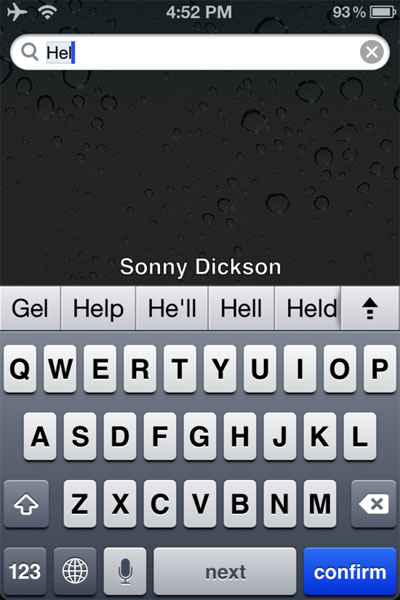
Once that backup is open you can open a specific files and then paste in a new sting of code and end up with the bar you see in the photo here. Check out this link to get the full details on making the switch. It turns out the proximity sensor in the iPhone 4S is specifically made to work with Siri.
This is supposedly the reason that the Siri voice assistance is restricted to the 4S smartphone alone. The new sensor is an infrared LED made just for Siri. This is how Siri knows when you are there and the sensor is active all the time.


