
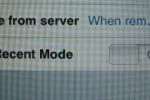
I’ve been getting copies of sent emails from Gmail but really didn’t know why until now. The clever folks over at TUAW suggested turning off the “Use Recent Mode” setting.

So here’s how: Go to Settings -> Mail -> (Your Gmail account) -> Advanced. Switch “Use Recent Mode” from ON to OFF. Don’t start freaking out if Gmail downloads a bunch of old messages into your iPhone inbox. This is only a one-time thing.
Once all the old emails are gone, and you’ve disabled the “recent mode,” your email will behave and stop sending you those pesky outgoing copies.
But wait, there’s more. According to reader digitalintrigue, he discovered that copies of outgoing mail sent from Gmail’s website still get sent to the iPhone although copies of iPhone-originated mail do not. This is no surprised because it does the same if you use POP to pull email on your other machines.


I tried doing this yesterday, and then my iPhone tried to download the 2 billion emails that are apparently in my inbox…
Yeah, you just need to make sure you’re within a wifi hotspot or it might take a long while going through the “speedy” EDGE network :).
That may be a viable solution, but it is a bit of a mis-interpretation of the true workings of “Recent Mode”. What “Recent Mode” actually does is either set it so all mail from the past 30 days is downloaded to the iPhone (when set to “On”) regardless of whether it was previously downloaded, archived, etc, or if it downloads and archives if (when set to “Off”) so it will not download multiple times, such as to your Mail.app client and your iPhone. Another option, though not pleasant, is to put a rule in gMail in which it deletes all sent mail.
I find the easiest option is to just suck it up and let it download your sent mail, and delete it. We’ll see if this option changes when I head back to school and start sending copious amounts of email.
If you want to read a reader’s feedback :) , I rate this post for 4/5. Detailed info, but I just have to go to that damn yahoo to find the missed bits. Thanks, anyway!
This is incredibly stupid. Why should I download all 400 whatever archived messages whenever I setup an email client?
I think Google should figure this one out. They have nerf guns, they should be able to handle it…
Oh I get it now… POP servers inherently cannot keep track of flags such as “read” or “archived” messages, wheras IMAP can… so theoretically an IMAP server can be set to ignore read messages